Welcome to the Umbraco Community!

The Umbraco Community is at the heart of the Umbraco ecosystem. It’s built on people coming together to share ideas, help each other, and make Umbraco better every day.

Come see how the Community stays connected, what makes it such a great place to be, and how you can join in and get involved. We always have room for more people to join!

MVP Summit audience.jpg 54610954933_1fd227623f_o (1).jpg Panel speaking in mics at umbraco event Person looking at laptop 52993341606_3b3a6a6991_o.jpg 2025 Group picture 1740139582170.jpg IMG_4217.jpg IMG20251030182101.jpg 2025 Community Teams day at Umbraco HQ DSC04687.jpg DSC05663.jpg MVP getting high five on stage MVPs speaking at MVP Summit 2 MVP waving at MVP Summit MVPs showing off awards IMG20251106141733.jpg 20251204_173423.jpg b6f67a24-17ea-4a21-bc55-65eca97d86ac.jpeg Codegarden 2023 Business Summit - people talking.jpg People high five'ing at Codegarden.jpg Boat ride 2025 Codegarden runners running

Get involved in the community

There's so many ways to get involved in the Umbraco community. 

A person looking into his laptop surrounded by people and light

New here? Welcome! We have a complete newcomer's guide to Umbraco and the Umbraco Community waiting for you.

A woman concentrating and looking down

No matter your interests, skills and time availability, there’s a way for you to participate in the Umbraco community. 

Two people high five'ing

Umbraco Meetups are a great way to engage with the Umbraco community and meet other like-minded people.

See what's happening

Join a meetup or an event near you - see all upcoming Umbraco events here

Blog posts from the Umbraco Community

Explore the latest blog posts from our community. Want to add your future blog posts to the list? Submit it here!
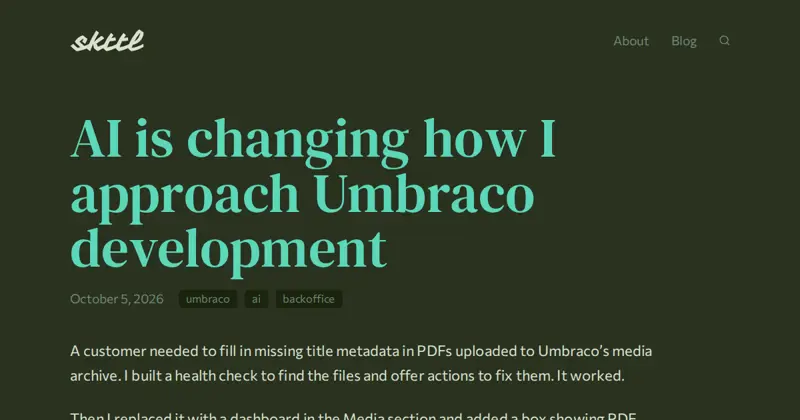
AI is changing how I approach Umbraco development

Building a PDF metadata dashboard with AI made me reconsider when I reach for Umbraco's standard tools and when a custom extension is worth the maintenance.

by Søren Kottal

My Umbraco India Festival 2026 Experience

Looking back at Umbraco India Festival 2026 in Kochi: a hackathon on the Water Metro, recording the sessions, great people, and the next edition in Goa.

by Nathaniel Nunes

Umbraco Management API Wonders

You may have heard me talk about Rick Dangerous, a 1989 game I reversed-engineered long ago, which can now be played directly on the web, thanks to WebAssembly. All it takes is one .wasm file, and a couple of .js files. Now, because rick-dangerous.org is running Umbraco, and because it is simpler to have everything in the same place, those files are managed as Umbraco media. So each time I rebuild the game, I need to update those media files. But browsing in the media section is a manual and tedious process. Can we do better? Umbraco Management API The Umbraco Management API is the API that was introduced in order to support the revamped back-office in a clean and independent way. And straight from the beginning, it was meant to be. First create a dedicated API user. Second, authenticate: CLIENT_ID=umbraco-back-office-rick-dangerous-api CLIENT_SECRET=***** API_URL=https://www.zpqrtbnk.net/umbraco/management/api/v1 TOKEN=$( \ curl -s $API_URL/security/back-office/token \ -d "client_id=$CLIENT_ID" \ -d "client_secret=$CLIENT_SECRET" \ -d 'grant_type=client_credentials' \ | jq -r .access_token ) If all goes well, the $TOKEN shell variable now contains your authentication token. We are going to define a simple helper method for invoking the API: curl_api() { METHOD=$1 shift API=$1 shift curl -s \ -H "Authorization: Bearer $TOKEN" \ -X $METHOD \ $API_URL/$API "$@" fi } Let us test it by retrieving the authenticated user name: curl_api GET user/current | jq -r .name Now let's assume that the media item containing the WASM file has a given UUID that we have retrieved from the UI, and we want to update its file with the recently built file xrick/build/web/xrick.wasm. This is what it takes: MEDIA_WASM="11467372-23fb-4d45-818b-fc78edf889a6" FILE_WASM=xrick/build/web/xrick.wasm # get the media name (required for updates?) MEDIA_NAME=$( \ curl_api GET media/$MEDIA_WASM | jq -r .variants[0].name ) # create a UUID for the temporary file UUID=$(uuidgen) # upload the file as a temporary file curl_api POST temporary-file -F "Id=$UUID" -F "File=@./$FILE_WASM" # edit the media to remove the current file curl_api PUT media/$MEDIA_WASM \ -H "Content-Type: application/json" \ -d "{\"id\":\"$MEDIA_WASM\",\"values\":[{\"alias\":\"umbracoFile\",\"culture\":null,\"segment\":null,\"value\":{}}],\"variants\":[{\"culture\":null,\"segment\":null,\"name\":\"$MEDIA_NAME\"}]}" # edit the media again, with the temporary file curl_api PUT media/$MEDIA_WASM \ -H "Content-Type: application/json" \ -d "{\"id\":\"$MEDIA_WASM\",\"values\":[{\"alias\":\"umbracoFile\",\"culture\":null,\"segment\":null,\"value\":{\"src\":\"\",\"temporaryFileId\":\"$UUID\"}}],\"variants\":[{\"culture\":null,\"segment\":null,\"name\":\"$MEDIA_NAME\"}]}" And... that is all. You will want to add some error checking here and there, but basically, this is all it takes to fully script the update of a media file. The list of things that can be done this easily is huge—pretty much anything in fact. Which is absolutely impressive. Loving it, would recommend.

by Stéphane Gay

Get in contact with us